


Présentation
Avant de pouvoir faire quoi que ce soit sur notre forum tu dois te présenter !
5538 sujets dans ce forum
-
- 0 réponse
- 384 vues
ROCPOG -

- 0 réponse
- 362 vues
domi13 -
- 0 réponse
- 263 vues
FAUCON -
- 0 réponse
- 322 vues
Enzo gr -
- 0 réponse
- 201 vues
Damiend-68 -

- 0 réponse
- 377 vues
castoyv -
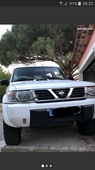
- 0 réponse
- 255 vues
gmterrassement2 -
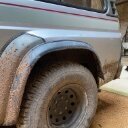
- 0 réponse
- 146 vues
piah -
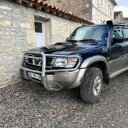
- 0 réponse
- 93 vues
Totor 1 -

- 0 réponse
- 289 vues
tom57560 -
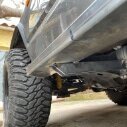
- 0 réponse
- 237 vues
Cacahouète45 -

- 0 réponse
- 233 vues
Y60GR -
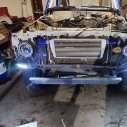
- 0 réponse
- 189 vues
angiedede -
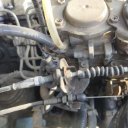
- 0 réponse
- 252 vues
kamagui -

- 0 réponse
- 191 vues
frank09 -

- 0 réponse
- 206 vues
Kzo-Beach -

- 0 réponse
- 164 vues
maxh0u -

- 0 réponse
- 81 vues
Dob -
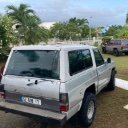
- 0 réponse
- 257 vues
Sanchez971 -
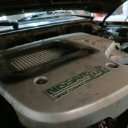
- 0 réponse
- 153 vues
Alain2b2 -
- 0 réponse
- 176 vues
ruru29 -
- 0 réponse
- 237 vues
h-d-b -

- 0 réponse
- 474 vues
Lorenzo 160 -

- 0 réponse
- 99 vues
Hb30 -
- 0 réponse
- 229 vues
JohnPatrolGr -

- 0 réponse
- 289 vues
Kily60 -
- 0 réponse
- 282 vues
samourai -
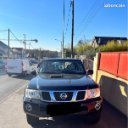
- 0 réponse
- 278 vues
gesopi -
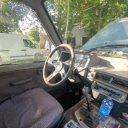
- 0 réponse
- 203 vues
frede2a -
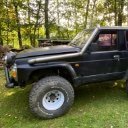
- 0 réponse
- 309 vues
Chris08